How to Find the Account Number - AlarmClub Security®
▼ Find Your AlarmClub Account Number (View PDF) ▼
Step 1: Proceed to Billing Portal
Existing customer? CLICK HERE to access AlarmClub's Billing Portal and update the credit card associated with your account, view billing history, and manage your subscription.
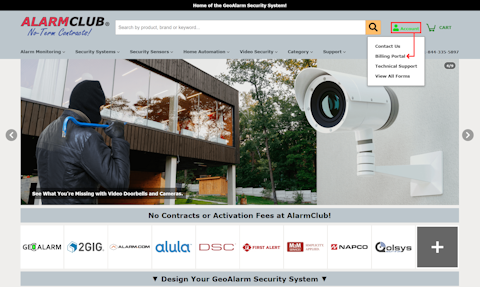
Or, you can also access the Billing Portal from any page on our website by hovering over the Account icon located in the upper-right corner of the header and selecting Billing Portal (the second option) from the drop-down menu.
Or, you can also access the Billing Portal from any page on our website by hovering over the Account icon located in the upper-right corner of the header and selecting Billing Portal (the second option) from the drop-down menu.
Step 2: Enter Email Address
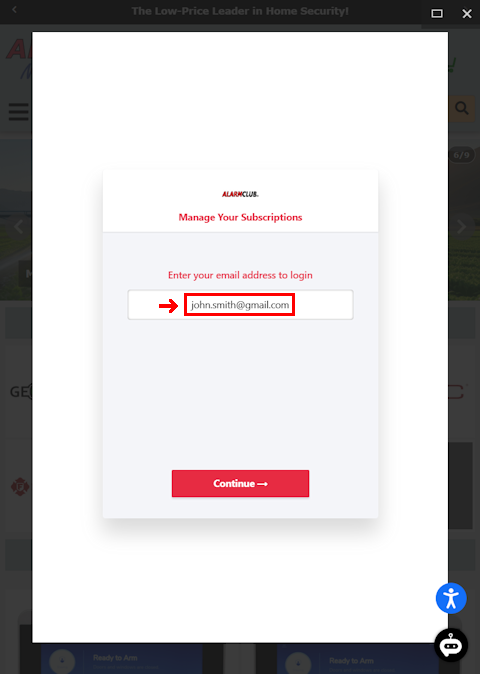
Enter the Email Address associated with your AlarmClub billing account in the field below, then click the Continue button.
If you do not remember the email address associated with your account and receive the "Looks like you don't have an account with us" invalid email error message when attempting to log in, please contact our support team. We will help you locate the email address on file so you can access your billing portal.
By Email: support@geoalarm.com
By Phone: 1-844-335-5897 (Mon-Fri, 8:30 AM-7:00 PM EST)
If you do not remember the email address associated with your account and receive the "Looks like you don't have an account with us" invalid email error message when attempting to log in, please contact our support team. We will help you locate the email address on file so you can access your billing portal.
By Email: support@geoalarm.com
By Phone: 1-844-335-5897 (Mon-Fri, 8:30 AM-7:00 PM EST)
Step 3: Enter One-Time Password
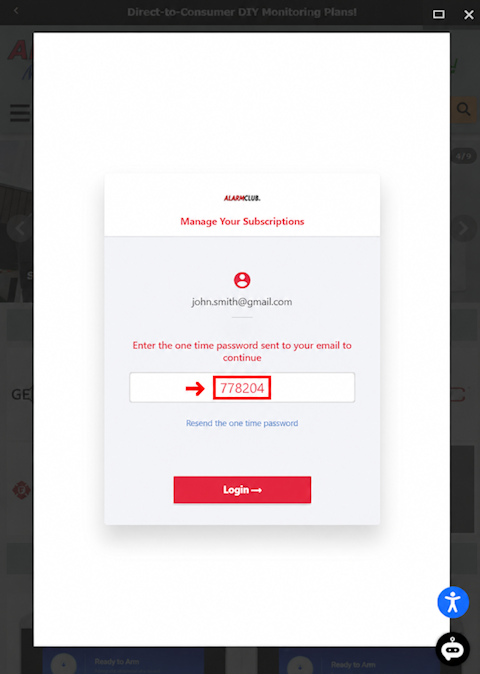
To access your AlarmClub Customer Portal and manage your AlarmClub monitoring subscription, enter the One-Time Password (OTP) that was sent to your email address. This secure verification process helps protect your account while providing convenient access to view billing details, update payment methods, download invoices, and manage your subscription settings.
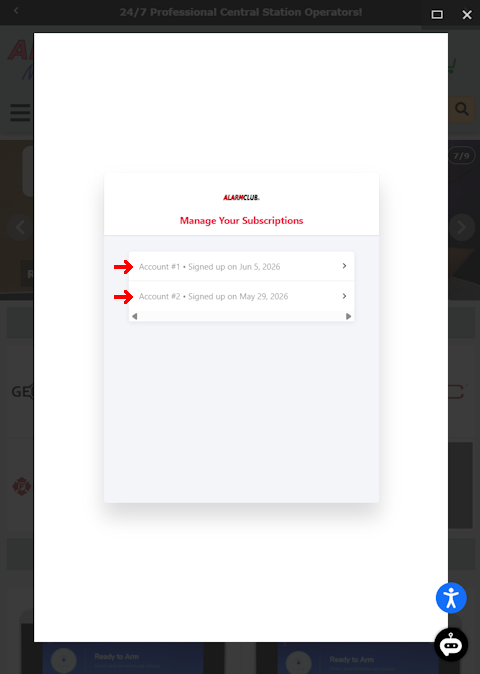
Step 4: Manage Your Subscriptions
If you have only one account, please skip this step and continue to Step 5.
If applicable, and you are a bill payer who manages multiple subscriptions, please select the account that you would like to manage before proceeding. This will ensure that any changes, updates, or actions are applied to the correct subscription account.
If applicable, and you are a bill payer who manages multiple subscriptions, please select the account that you would like to manage before proceeding. This will ensure that any changes, updates, or actions are applied to the correct subscription account.
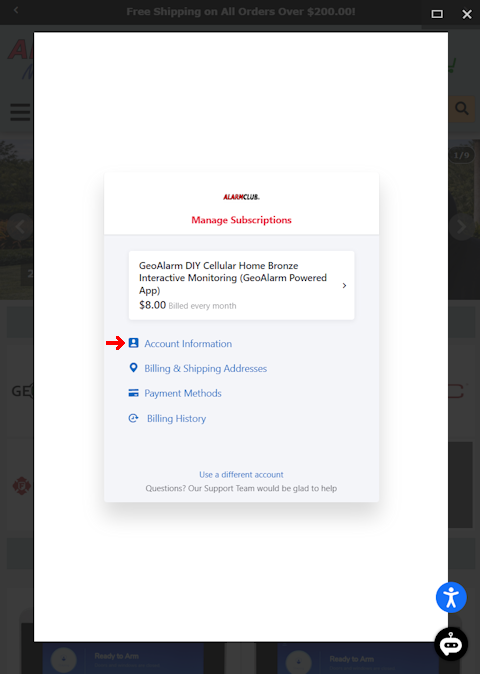
Step 5: Click Account Information
To continue, please click on Account Information.
Step 6: View Account Information
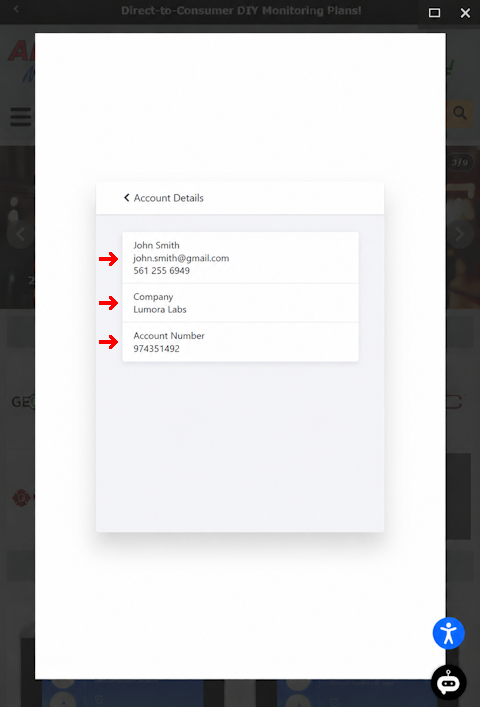
Customers can view their account information. This section provides access to important account details, including the customer's first name, last name, email address, and account number.
Your account number is an important identifier and should be retained for future reference. This number is used on various forms throughout the AlarmClub.com website, including forms that allow you to update account information, submit changes, and manage services after your account has been activated and is online. Providing your account number when requested helps ensure that updates and requests are accurately associated with your account and processed efficiently.
Your account number is an important identifier and should be retained for future reference. This number is used on various forms throughout the AlarmClub.com website, including forms that allow you to update account information, submit changes, and manage services after your account has been activated and is online. Providing your account number when requested helps ensure that updates and requests are accurately associated with your account and processed efficiently.